

Important notes about prescription medication
- Medication can only be prescribed for you pet by a vet who assesses your pet in a consultation
- Medication repeats can be made available from the clinic for up to 6 months before your pet needs to see the vet again for reassessment. This ensures that your pet's health is tracked appropriately and that the correct dose is given for you pet's current condition.
- The vet may require additional assessment before the 6 months has passed before more medication can be dispensed. This is based on the nature of the case and the vet's professional assessment of their welfare needs.
- Online ordering is only available for medication that has been prescribed with repeats. Some medications are for acute use only and are not prescribed on an ongoing basis without veterinary consultation.
- Medication must be ordered 24-48 hours before they are needed so we have time to receive and process your request.
How to order repeat medication from our portal
To order repeats for us to prepare for pickup, do the following steps:
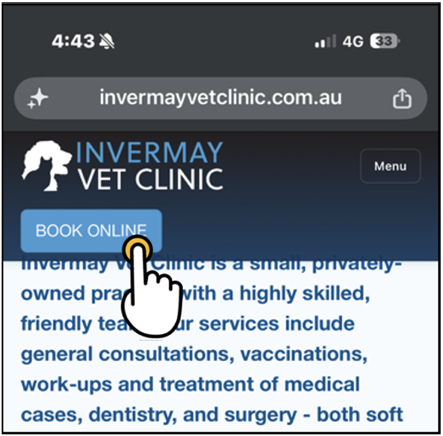
- On our website, tap BOOK ONLINE. The Invermay Vet Clinic portal opens.
- Log in.
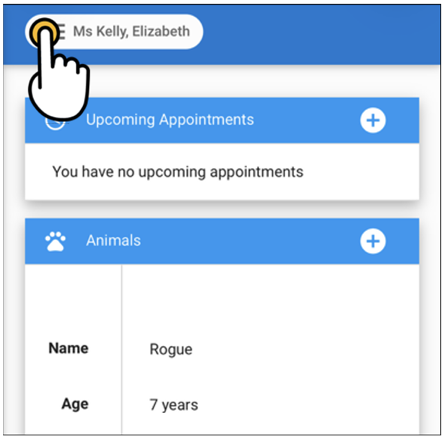
- In the portal, tap the menu icon next to your name.
- Scroll up to see all options in the menu.
- Tap Medications.
- Scroll sideways to see all the medications your pet has been prescribed.
- Tap Request Refill.
- Repeat this process for each medication your pet requires.
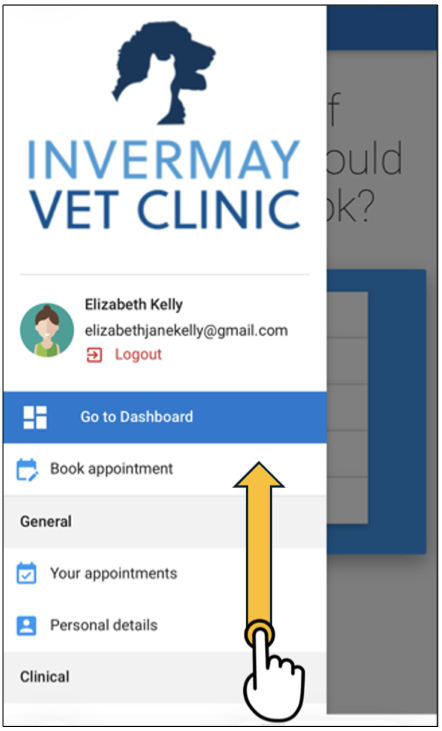
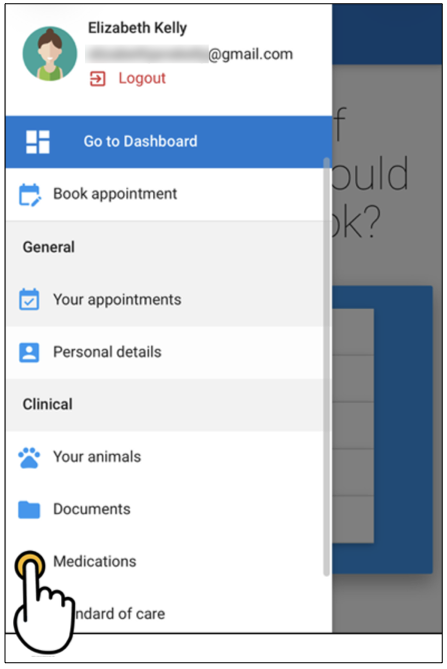
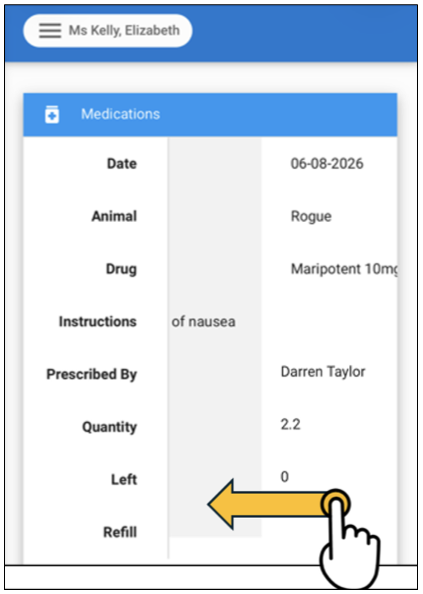
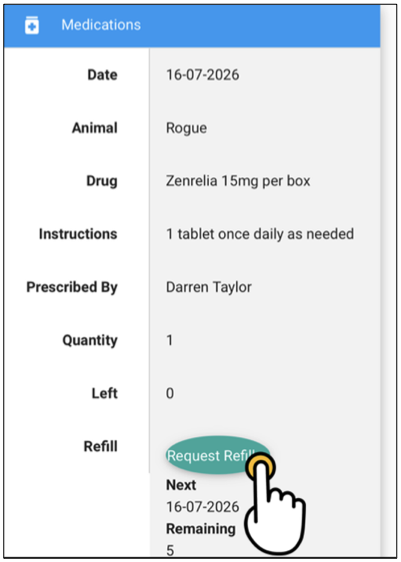
The green Request Refill button will change to red text saying “Refill requested!”.
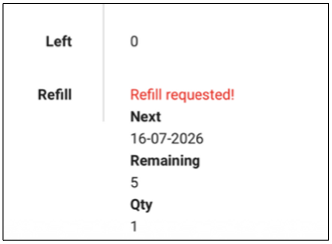
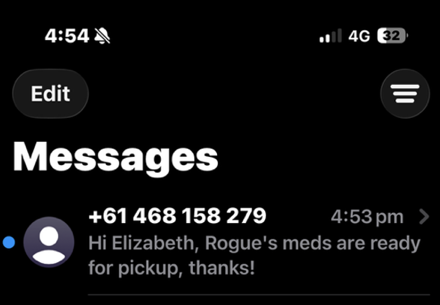
We will automatically receive your request and text or call you when it is ready to pick up.
Troubleshooting
- If it is your first time using the portal, tap YOUR FIRST TIME LOGGING IN? SIGN UP HERE! and complete the form as directed. The system should match you with your records automatically.
- If so, your pets’ records and appointments will appear.
- If not, e.g., we have a spelling error in your name, or the record is in a family member’s name, then you may have to wait a day or two for us to match them manually. Alternatively, let us know emailing info@invermayvetclinic.com.au or calling the clinic on 03 633 11744.
- If you don’t find the medication you need, or find that it doesn’t have repeats, you may need to contact us to correct this.
- If you have run out of repeats and have not had a review appointment with a vet in the past 6 months, you will need to book an appointment for the vet to recheck your pet so that they can prescribe medication for another 6 months.
Adding the portal to your phone
If you want to make it easier to find the portal in future, you can add it to your phone so it appears like an app. These instructions are for an Apple iPhone, but Android phones have similar functionality.
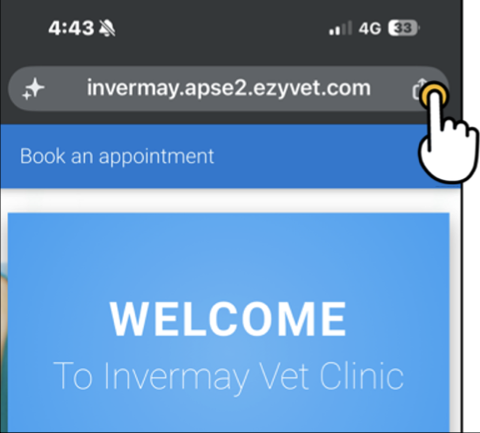
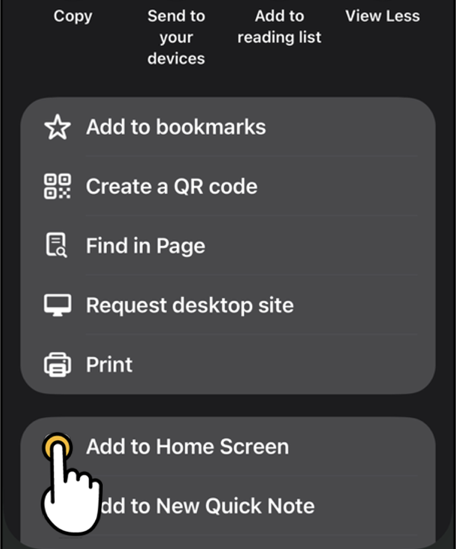
- On the portal's login screen, tap the “share” icon next to the URL in the address bar at the top of the screen.
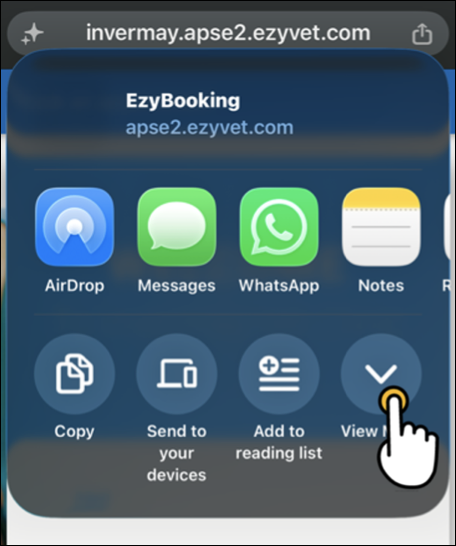
- Tap View More.
- Tap Add to Home Screen.
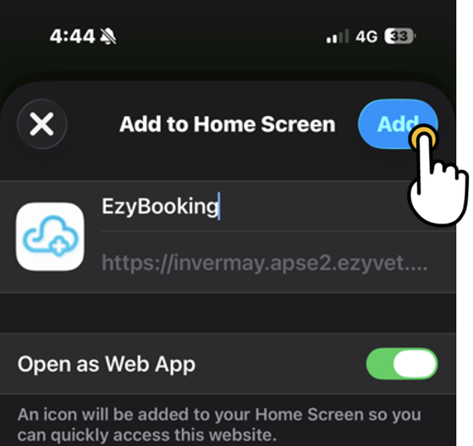
- Optionally change the name of the portal to something easy to remember, e.g., “Invermay Vet Clinic” or leave it as “EzyBooking”.
- Tap Add.
A link to the portal now appears on your home screen.
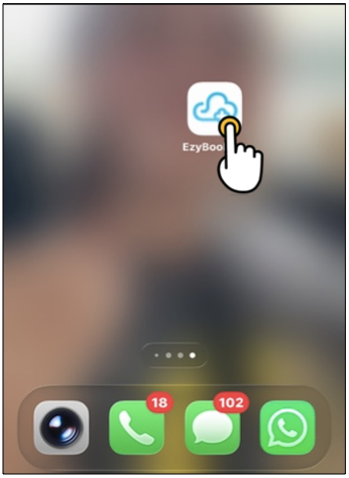
The portal can be opened directly from this icon without visiting the website first.